
Film Product Testing Footage Like a Pro: Lighting, Angles, and Measurement Demos
 By Ashley Isham
Updated October 5, 2026 · 25 min read · 85 views
By Ashley Isham
Updated October 5, 2026 · 25 min read · 85 views
Why Product Testing Footage Matters
When you’re evaluating a product before you buy, watching someone actually use it—measuring its performance, testing it in real conditions, showing you how it handles everyday scenarios—tells you far more than marketing copy ever could. At Unbias Review, we believe that hands-on product testing is the foundation of honest product reviews. The footage you create becomes the evidence your audience uses to make confident purchasing decisions.
Product testing footage isn’t just about pointing a camera at something and hitting record. It’s about capturing clear, repeatable demonstrations that show exactly what a product does, how it performs under real conditions, and where it falls short. Whether you’re testing headphones, a portable power station, a skincare device, or a TV, the quality and clarity of your footage directly impacts how credible your verdict becomes.
This guide walks you through the complete process of filming product testing footage that meets the standards of independent, research-backed reviews. You’ll learn how to set up professional lighting without expensive equipment, position your camera for maximum clarity, film accurate measurement demonstrations, and edit everything into a cohesive narrative that proves your claims.
Prerequisites: Gear, Space, and Planning
Before you turn on a camera, you need the right foundation. The good news: you don’t need a Hollywood budget to film professional-quality product testing footage.
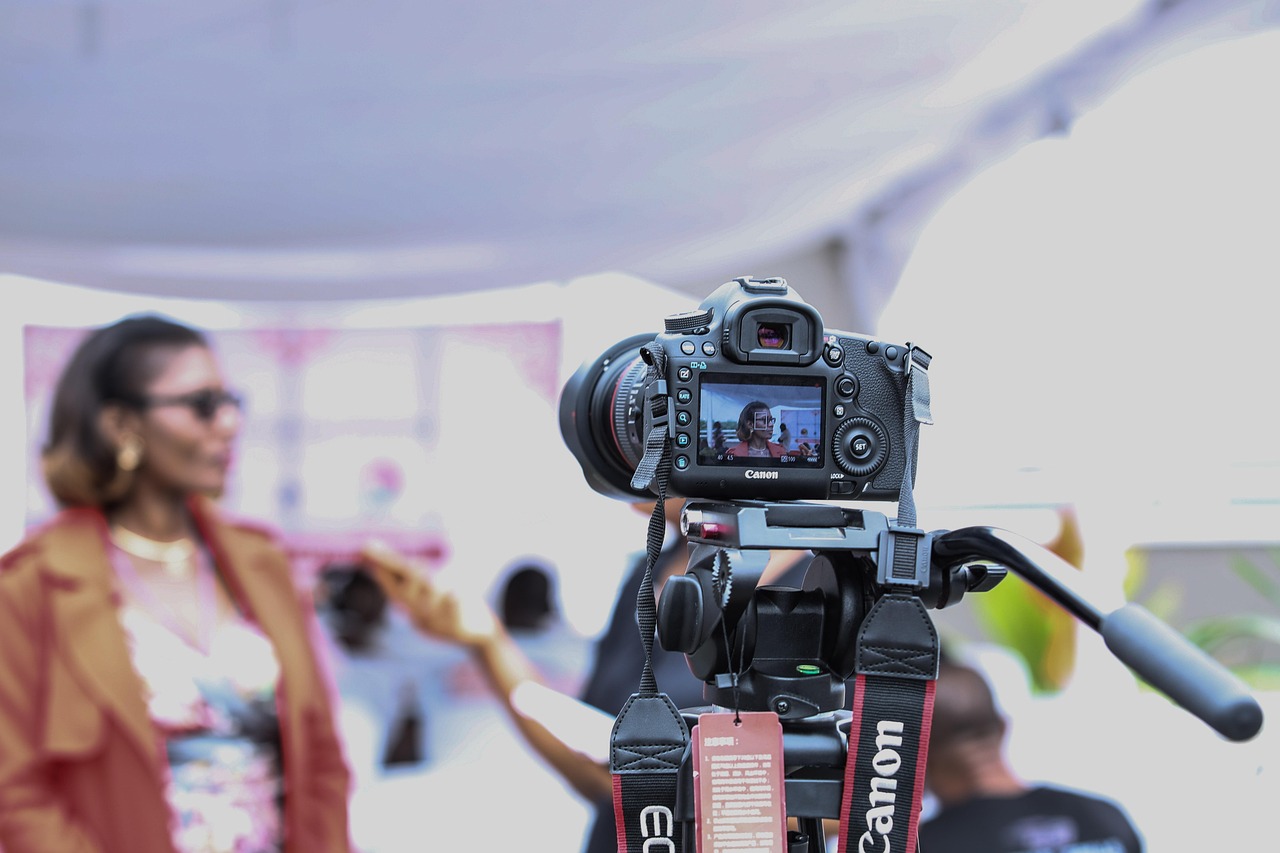
Camera equipment. A smartphone with a modern camera (iPhone 13 Pro or later, Samsung Galaxy S22 or later) or a dedicated mirrorless camera (Canon M50 Mark II, Sony A6400, or similar) works well. If you’re using a smartphone, invest in a sturdy tripod with a phone mount—this eliminates shaky footage and lets you focus on framing. A dedicated camera gives you more control over exposure and focus, which matters when you’re filming small details or measuring instruments.
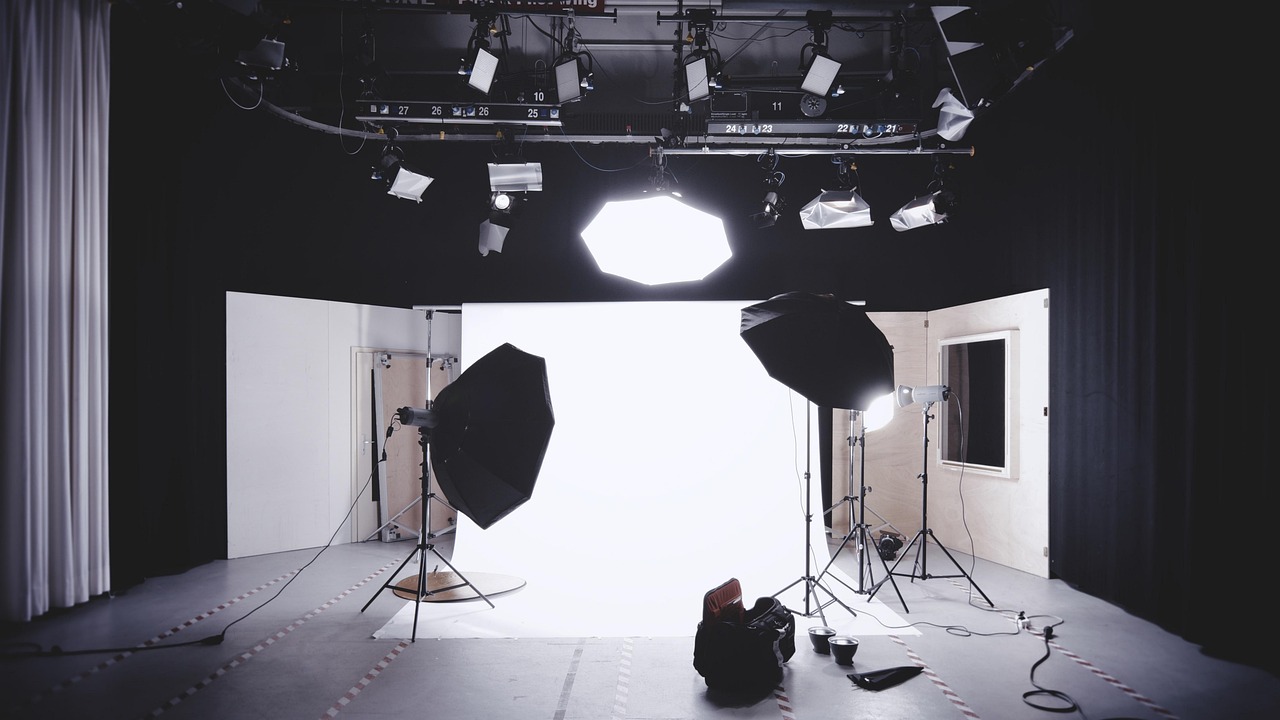
Lighting. This is non-negotiable. Natural window light is free but inconsistent; professional lighting is consistent and controllable. A basic three-point lighting kit (key light, fill light, back light) costs $100–$300 and transforms your footage. Alternatively, affordable LED panel lights like the Neewer or Aputure MC RGBWW series ($50–$150 each) give you color temperature control and dimming without heat. According to ASU’s video production guide, proper lighting is one of the five foundational elements of any test shot.
Audio gear. Clear audio is often overlooked but absolutely critical. A lavalier microphone ($20–$50) clipped to your shirt picks up your voice clearly while you narrate. For ambient sound (the product in action), a shotgun microphone mounted on your camera ($50–$150) works well. If you’re filming in a noisy environment, a wireless lavalier system ($100–$200) gives you flexibility to move around while staying audible.
Measurement tools. Depending on what you’re testing, you’ll need rulers, calipers, sound meters, light meters, or specialized test equipment. Keep these visible in your footage—don’t hide your methodology. Verified scores in product testing depend on transparent measurement. If you’re testing a portable power station, for example, you’ll need a clamp meter to measure actual output. If you’re testing a TV, you’ll need a light meter to measure brightness and color accuracy.
Location and backdrop. Choose a clean, neutral background—a white or gray wall, or a simple desk setup. Remove clutter. Consistency matters: if you film your first demo against a white wall and your second against a cluttered shelf, the footage feels disjointed. For product videos, the environment should support the product, not compete with it.
Planning and shot list. Before you film a single frame, write down exactly what you need to show. If you’re testing headphones, your shot list might include: unboxing, fit on head, noise cancellation in quiet and noisy environments, battery life indicator, sound quality via frequency sweep, comfort after 2 hours of wear. This prevents you from filming for hours and realizing you missed a critical angle.
Lighting Setup for Clear, Professional Footage
Lighting is where amateur footage becomes professional. Poor lighting hides detail, creates harsh shadows, and makes it hard for viewers to see what you’re actually measuring.
Three-point lighting basics. The key light is your main light source—position it 45 degrees to the side and slightly above your product. This creates dimension and reveals texture. The fill light, positioned on the opposite side at a lower intensity, softens shadows so viewers can still see detail in the shadowed areas. The back light, positioned behind the product, separates it from the background and adds depth. This setup works for almost any product.
For small products (phones, earbuds, skincare items), position your key light closer and at a shallower angle to reveal fine details. A reflector—even a white poster board—can bounce light back into shadow areas without adding a second light. According to Scouty’s product video tips, reflectors are one of the most cost-effective ways to improve lighting quality.
For larger products (TVs, power stations, furniture), you may need more powerful lights or a wider spread. Position your key light farther away to light the entire product evenly. Watch for hot spots—areas where light is too bright—and diffuse them with frosted acrylic or diffusion paper.
Color temperature matters. If you’re mixing natural window light with artificial lights, your footage will have a color cast—some areas will look orange, others blue. Use lights with adjustable color temperature (measured in Kelvin), or white balance your camera to match your primary light source. Most modern cameras have an auto white balance mode, but manual control (setting your camera to 5500K for daylight, 3200K for tungsten) gives more consistent results across multiple filming sessions.
Test before you film. Record 30 seconds of test footage with your lighting setup. Watch it on a larger screen—not just your camera’s tiny display. Does the product look clear? Can you see fine details? Are shadows too dark? Adjust lights and record again. This 5-minute test saves you hours of reshooting.
Camera Angles and Framing for Maximum Clarity
The angle you choose determines what your audience sees and, critically, what they can understand about how the product works.
Establish shot. Start with a wide shot showing the complete product in context—on a desk, in a hand, in its environment. This gives viewers orientation. Then move to closer shots for detail.
Close-ups of key features. If you’re testing a TV, film the bezels, the back panel with inputs, the remote, the settings menu. If you’re testing headphones, show the ear cup design, the headband adjustment, the cable connection. These close-ups prove you’ve examined the product thoroughly. Position your camera parallel to the feature you’re filming—don’t angle it unless you’re specifically showing how something rotates or adjusts.
Overhead angle for measurements. When you’re measuring something with a ruler or calipers, position your camera directly above so the measurement tool is clearly visible and aligned with the object. If you’re measuring the thickness of a device, the ruler should be perpendicular to the surface, and your camera should be high enough that viewers can read the measurement without parallax distortion. This is critical for transparent testing methodology.
Action shots. Show the product being used. If you’re testing a power station, film it powering a device. If you’re testing skincare, show it being applied. If you’re testing a laptop, film someone typing and scrolling. These shots prove the product works in real conditions, not just in isolation.
Point-of-view shots. Sometimes, film from the user’s perspective. For headphones, this might mean a shot from the side showing how they sit on the ear. For a TV, it might be a shot from the couch showing the picture quality at actual viewing distance.
Avoid movement unless necessary. Camera pans and zooms can look dynamic, but they also make it harder for viewers to focus on detail. Keep your camera still on a tripod. If you need to show different angles, cut between static shots rather than panning. This is cleaner and easier to edit.
Frame for 16:9 widescreen. Most people watch on phones and computers in landscape orientation. Compose your shots with this in mind. Leave space on the sides for text overlays and measurements.
Filming Measurement Demonstrations
Measurements are the backbone of honest product testing. They’re also the most important footage to get right, because if your measurements aren’t clear, your entire verdict becomes questionable.
Establish your baseline. Before you measure the product, show your measurement tool. If you’re using a ruler, place it in frame for a few seconds so viewers know what scale they’re looking at. If you’re using a specialized tool—a sound meter, a light meter, a clamp meter—hold it up, show the display, and explain what it measures. This transparency is essential to how we review at Unbias Review.
Position measurements clearly. When measuring dimensions, place the product and the measuring tool in the same plane. If you’re measuring the width of a phone, lay both the phone and the ruler flat on the table, film from directly above, and hold the shot long enough for viewers to read the measurement. Avoid angling the camera—perspective distortion makes measurements look inaccurate even if they’re correct.
Show the reading. If you’re using a digital meter (for sound, light, power output), position the camera so the display is clearly visible. Zoom in if necessary. Read the number aloud as you point to it. This redundancy—showing and saying the measurement—ensures viewers understand, even if they’re watching on a small screen.
Repeat measurements. Don’t film a measurement once and move on. Test the product in different conditions and film each condition. If you’re measuring noise output, test it at low volume and high volume. If you’re measuring brightness, test it in a dark room and a bright room. Multiple measurements show consistency and prove you’re not cherry-picking results.
Use on-screen graphics. As you edit, overlay the measurement result on screen. “Brightness: 500 nits” appears as text while you’re showing the light meter reading. This helps viewers remember the numbers and makes your footage more professional. But don’t add graphics until after you’ve filmed the raw measurement—the footage itself must be clear enough to stand alone.
For performance tests, film the test running. If you’re testing battery life, start a timer on camera and film the device running until the battery dies. If you’re testing a power station’s AC inverter, film the inverter powering a load while a clamp meter measures the output. The footage proves the test was real, not simulated.
Filming Comparison Shots
One of the most powerful types of product testing footage shows two products side by side, performing the same test under identical conditions. This is how viewers see which product wins and why.
Match your conditions exactly. If you’re comparing two headphones’ noise cancellation, test both in the same room, at the same time, with the same ambient noise. If you’re comparing two TVs’ brightness, use the same light meter, measure the same area of the screen, and film both in the same lighting environment. Any variation in conditions makes the comparison unfair.
Film both products performing the same action. Show product A doing the task, then show product B doing the same task. Don’t film product A for 10 seconds and product B for 30 seconds—keep the duration similar so viewers can compare fairly. If you’re testing how quickly two devices charge, film both charging from 0% to 100% and display the time elapsed on screen.
Use split-screen or sequential editing. In post-production, you can show both products side by side (split-screen) or cut between them (sequential). Split-screen is more dramatic and makes comparison immediate. Sequential is easier to follow if you’re explaining differences as you go. Choose based on what you’re testing.
Measure both products identically. If you measure product A’s dimensions with a ruler held horizontally, measure product B the same way. If you test product A’s battery life by running it continuously, test product B the same way. Consistency in methodology is what makes verified scores trustworthy.
Audio: Narration and Sound Design
Clear audio is as important as clear video. Viewers will tolerate imperfect video if the audio is excellent, but perfect video with poor audio feels unprofessional.
Record narration separately. Don’t try to narrate while filming. Instead, film your product testing in silence, then record narration afterward in a quiet room. This gives you multiple takes, lets you correct mistakes, and ensures consistent audio quality. Use a lavalier microphone or a USB microphone plugged into your computer.
Write a script. Before you record narration, write down exactly what you’ll say. This prevents rambling and ensures you cover all the key points. Keep sentences short and direct: “This device measures 6 inches wide and weighs 8 ounces. That’s lighter than the competitor model.” Not: “So, uh, if you measure this thing, it’s kind of, like, 6 inches, which is, you know, pretty light compared to some other ones.”
Capture ambient sound. While you’re filming, also record the sound the product makes. If you’re testing headphones, record how they sound. If you’re testing a power tool, record its operating noise. If you’re testing a fan, record how loud it is. This ambient sound, layered under your narration in the edit, makes the footage feel real and immersive. According to B&H Explora’s video guides, sound design is one of the most overlooked elements of product videos.
Use a noise gate. If you’re recording in a room with background noise (air conditioning, traffic), use your microphone’s noise gate feature or software noise reduction in post-production. This removes constant background hum without affecting your voice.
Check audio levels. Before you record, test your microphone at the volume you’ll be speaking. Watch the audio meter in your recording software—aim for peaks around -6dB, not at 0dB (which causes clipping and distortion) and not below -20dB (which requires volume boost and sounds thin). This one check prevents you from recording an entire narration that’s too quiet or too loud.
Editing: Assembling Your Footage Into a Coherent Story
You’ve filmed everything. Now you need to assemble it into a narrative that proves your testing methodology and supports your verdict.
Organize your footage. Create folders for each product you’re testing: “Product A – Raw Footage,” “Product A – Narration,” “Product A – Graphics.” Within each folder, label clips clearly: “01 – Unboxing,” “02 – Dimensions Measurement,” “03 – Performance Test,” etc. This makes editing exponentially faster.
Start with your strongest visual. Open your video with a shot that immediately shows what you’re testing—the product in hand, the product in use, or a close-up of a key feature. Don’t start with a title card or your face talking to the camera (unless you’re building a personal brand). Viewers want to see the product first.
Structure around your testing methodology. Your edit should follow the same order as your testing process. Unboxing → Setup → Measurement 1 → Measurement 2 → Comparison → Real-world use → Verdict. This structure is logical and easy to follow.
Use B-roll and cutaways. B-roll is supplementary footage that plays while you’re narrating. While your voice explains a measurement, show the measurement happening on screen. While you narrate the product’s benefits, show it being used. This keeps viewers engaged and prevents long stretches of talking head.
Cut on action. When you’re showing a product being used, cut your clips on the action—right when something happens. This makes transitions feel natural and keeps pacing tight. Don’t linger on a shot for 5 seconds if the action only takes 2 seconds.
Add graphics and text overlays. Overlay key measurements, specs, and verdicts as text on screen. “Weight: 8.2 oz,” “Battery Life: 12 hours,” “Verdict: Best for outdoor use.” These overlays help viewers remember numbers and make your footage more professional. But don’t overload—one or two text elements per 5 seconds of video is plenty.
Color correct for consistency. If you filmed in different lighting conditions or at different times, your footage may have different color casts. Most editing software has color correction tools. Adjust each clip so the product looks the same color throughout your video. This is especially important for products where color accuracy matters—TVs, cameras, skincare products.
Use transitions sparingly. Cuts are the most professional transition. Fades work for transitions between major sections. Dissolves and wipes look dated. Avoid transitions that distract from your content.
Pacing. Product testing footage should move at a brisk pace—roughly one idea per 5-10 seconds. If you’re showing a measurement, show it for 5-8 seconds (long enough to understand, short enough to hold attention). If you’re showing a product in use, 10-15 seconds works. Don’t dwell on static shots.
Add music and sound design. Layer in subtle background music during transitions and comparisons. Keep it quiet—your narration and the product’s ambient sound should be the focus. Use royalty-free music from sites like Epidemic Sound or Artlist. Avoid overly dramatic or trendy music; neutral, professional music works best for product testing.
Specific Testing Scenarios: From Electronics to Beauty
Different products require different filming approaches. Here’s how to adapt your setup for common categories.
Consumer electronics (headphones, phones, laptops). For headphone testing, film close-ups of the ear cup design, the headband adjustment, and how they sit on the head. Use a sound meter to measure frequency response and noise cancellation. For phones and laptops, film the display in bright and dark conditions, test the keyboard and trackpad, and measure performance using benchmarking apps. Show these benchmark results on screen.
TVs and displays. Use a light meter to measure brightness (nits). Film the picture quality at different viewing angles. Test color accuracy using a test pattern (available free online). Measure contrast ratio and response time if you have the tools. According to our TV calibration guide, color accuracy is one of the most critical measurements viewers care about.
Power and energy devices (power stations, solar panels, batteries). Use a clamp meter or power meter to measure actual output. Film the device powering real loads—laptops, fans, lights. Measure charging time with a timer. For portable power stations, test both AC and DC outputs, and measure surge capacity.
Beauty and skincare. Film the product being applied and used. Show texture, consistency, and absorption. If the product claims specific benefits (anti-aging, hydration), research what the evidence actually shows and compare the product’s claims to the science. Film before-and-after photos if testing over time, but be honest about what’s visible and what’s not. According to our testing framework, claims-versus-evidence comparison is essential.
Health and wellness devices. Similar to beauty—film the device being used, measure any outputs (light intensity, heat, frequency), and compare advertised benefits to published research. If you’re testing infrared therapy devices, use a light meter to measure wavelength and intensity.
Home and furniture. Film the product in context—on a desk, in a room, being assembled. Measure dimensions and weight. Test durability if relevant (drop testing, stress testing). Show how it looks from different angles and in different lighting.
Troubleshooting Common Filming Issues
Even with good planning, things go wrong. Here’s how to fix them.
Footage is too dark. Add more light or increase your camera’s ISO (sensitivity). If you increase ISO too much, you’ll get digital noise. Better to add another light. If you can’t add light, boost exposure in post-production, but be aware this will increase noise.
Footage is too bright or washed out. Reduce light intensity, add diffusion to soften it, or reduce your camera’s exposure. If you’re filming outdoors in bright sun, use a reflector to bounce light into shadow areas instead of relying on harsh direct sun.
Focus is soft or blurry. Check your camera’s focus mode—use autofocus for moving subjects, manual focus for static shots. If autofocus is hunting (constantly refocusing), switch to manual. Ensure your lighting is bright enough for the camera to focus easily. If you’re filming very close-ups, use macro mode or a macro lens.
Audio is too quiet. Move your microphone closer to the sound source. Increase microphone gain in your recording software. In post-production, amplify the audio, but watch for noise floor increase. If the audio is too quiet and noisy, re-record in a quieter environment.
Audio is distorted or clipping. Reduce microphone gain or move the microphone farther away. In post-production, you can’t fix clipping—it’s permanent. Always record at a level that leaves headroom.
Colors look inconsistent between clips. This usually means your white balance was different. In post-production, select one clip as your reference and color-match all other clips to it. Most editing software has color matching tools.
Footage looks shaky. Use a tripod. If you must handheld, stabilize in post-production using your editing software’s stabilization feature. This works well for minor shake but can’t fix major movement.
You forgot to film something critical. If possible, re-shoot. If not, acknowledge the gap in your narration: “We weren’t able to test this specific feature, but here’s what we found in user reviews.” Transparency about what you tested and what you didn’t is part of honest reviewing.
Integrating Footage Into Your Review
Once you’ve edited your footage, you need to integrate it into your written review or top-list roundup. This is where methodology becomes narrative.
Embed the video early. If you’re writing a product review, embed your testing video in the first section, right after your verdict. Readers should see your methodology immediately, before diving into written analysis. This reinforces that your opinion is based on real testing.
Reference specific footage in your written review. When you claim the product is “lightweight,” link to the timestamp in your video where you measured the weight. When you say “the display is bright,” reference the footage where you measured brightness. This creates a clear connection between your claims and your evidence.
Timestamp key moments. If your video is longer than 3 minutes, add timestamps in your written review: “[0:45] Unboxing and first impressions,” “[2:15] Measurement and performance testing,” “[4:30] Real-world use and verdict.” This helps readers navigate to the information they care about.
Explain your testing methodology in writing. Don’t assume your video is clear enough. Write a paragraph explaining how you tested the product, what tools you used, and what conditions you tested in. This is especially important for independent product testing where transparency is the entire foundation of credibility.
Include measurement data in your review. Don’t just show measurements in the video—also state them in writing. “The device measures 6 inches wide, 4 inches tall, and weighs 8 ounces.” This makes the information searchable and accessible to readers who can’t watch video.
Be honest about limitations. If you couldn’t test something, say so. If your footage shows a limitation of your testing setup rather than a limitation of the product, acknowledge it. This honesty is what separates reader-funded, independent reviews from marketing content.
Technical Specifications and Equipment Recommendations
If you’re building a product testing setup from scratch, here’s a realistic budget breakdown.
Minimal setup ($200–$500). Smartphone camera (you probably already have one) + phone tripod ($20) + two LED panel lights ($100–$200) + lavalier microphone ($30) + basic editing software (free options like DaVinci Resolve or CapCut). This setup handles most product testing.
Mid-range setup ($500–$1,500). Mirrorless camera like Canon M50 Mark II ($600) + kit lens + tripod ($50) + three-point lighting kit ($200–$400) + wireless lavalier microphone ($150) + dedicated audio recorder ($100) + Adobe Creative Cloud for editing ($55/month). This gives you professional-quality footage and more creative control.
Professional setup ($2,000+). Full-frame mirrorless camera (Sony A7IV, Canon R6) + quality lenses + professional lighting kit + wireless audio system + color grading monitor + professional editing software. This is overkill for most product testing, but necessary if you’re running a large-scale review operation.
For most independent reviewers, the mid-range setup is the sweet spot. It produces professional-quality footage without requiring expensive gear or extensive technical knowledge.
Maintaining Consistency Across Multiple Tests
If you’re filming product testing footage regularly, consistency is critical. Viewers should recognize your testing style and trust that you’re using the same methodology for every product.
Create a testing checklist. For each product category, create a standard checklist of what you’ll film and measure. For headphones: fit, comfort, noise cancellation, sound quality, battery life, build quality, warranty. For every headphone you test, film and measure these same criteria in the same order. This consistency makes comparisons reliable.
Use the same locations and backgrounds. Film all your product testing in the same space with the same lighting setup. This creates visual consistency—viewers will immediately recognize your footage style. If you must change locations, film a few test clips to ensure the new location has similar lighting and background.
Maintain consistent camera settings. Use the same camera, resolution (1080p or 4K), frame rate (24fps or 30fps), and color profile for all your testing. This prevents your footage from looking like a patchwork of different sources.
Use the same measurement tools. If you’re using a ruler for one product and calipers for another, your footage will feel inconsistent. Stick with the same tools for the same measurements. This also makes your data more comparable—if you measure every phone’s thickness with the same calipers, viewers can trust the comparisons.
Document your methodology. Write down your testing procedure and save it. When you test the next product in the same category, follow the same procedure. This is the foundation of verified, trustworthy scores.
Publishing and Optimizing Your Video Content
Once your footage is edited and integrated into your review, you need to publish it in a way that maximizes reach and credibility.
Host on your own platform first. Embed the video on your review page, hosted on your own server or through a service like Vimeo (which offers better playback quality than YouTube for product reviews). This keeps viewers on your site and establishes you as the primary source.
Create a YouTube version. Also upload to YouTube with a clear title, description, and timestamps. Link back to your full review on your site. YouTube drives discovery, but your site drives engagement and builds your audience.
Write detailed captions. Add closed captions to your video—not just for accessibility, but because captions make your footage searchable and help viewers understand even in noisy environments. Most editing software can auto-generate captions; review them for accuracy.
Create short clips for social media. Extract 15-30 second clips from your full testing video highlighting the most interesting findings. Post these on Instagram, TikTok, and Twitter with a link to your full review. Short clips drive traffic to your longer content.
Track performance. Monitor watch time, click-through rate, and engagement. Which parts of your video do viewers watch most? Where do they drop off? Use this data to improve future videos. If viewers always skip past your unboxing section, make it shorter next time.
Conclusion: Footage as Evidence
Product testing footage is more than aesthetics—it’s evidence. It’s the proof that your review is based on real testing, not marketing claims or assumptions. When you film clear, well-lit measurements; show products being used in real conditions; and edit everything into a transparent, logical narrative, you’re building credibility that no written review alone can achieve.
The techniques in this guide—proper lighting, clear angles, accurate measurements, and thoughtful editing—aren’t just production tricks. They’re the foundation of honest, independent product reviews. Every frame you film is a promise to your audience that you’re showing them the truth, not a polished marketing version of the product.
Start with the basics: good lighting, a steady camera, clear narration, and honest measurement. As you film more product tests, you’ll develop a style and rhythm that feels natural. Your viewers will recognize your methodology and trust your verdicts because they can see exactly how you arrived at them.
The products you review deserve honest testing. Your audience deserves clear evidence. Your footage is how you deliver both.
Sources
- ASU Brand Guide – Video Production
- Videomaker – 5 Things You Need to Do for Every Product Video
- Scouty – 8 Product Video Production Tips
- Adobe – How to Make a Product Video
- B&H Explora – Video Production Guides
- PremiumBeat Blog – Video Production Best Practices
- No Film School – Filmmaking Tutorials
- CineD – Professional Video Production

Ashley Isham
Ashley Isham is a senior reviewer at Unbias Review with a genuine passion for finding products that are actually worth the money. She covers skincare, beauty, wellness and everyday tech, digging into ingredients, specs, prices and real customer feedback so readers can shop with confidence. Ashley loves a good deal as much as a great product, which is why every review comes with the smartest way to save.
 Services
DIY At-Home Water Quality Test for Buyers
Services
DIY At-Home Water Quality Test for Buyers