monday.com Review: Is It the Right Work Management Tool for Your Team?
 By Ashley Isham
Updated November 14, 2026 · 7 min read · 24 views
Is monday.com worth it? For most teams of 3 to 25 people, yes. monday.com is one of the easiest work management tools to get a whole team using, and its Standard plan ($12 per seat a month, billed yearly) covers what most small teams need. The catch is the way seats are sold, so this monday.com review shows what your team will really pay before you pick a plan.
monday.com started as a colorful project board and is now a full work platform. Projects, client work, content calendars, hiring pipelines and even a CRM can all run on the same boards, with AI built in. Teams pick it up quickly because a board looks like a spreadsheet, so there is very little to learn on day one.
monday.com at a glance
- Best for: teams of 3 to 40 that want one visual place for projects, tasks and requests
- Best value plan: Standard ($12/seat/month yearly) – adds Gantt, timeline, calendar, guests and automations
- Free option: free forever plan for up to 2 seats, plus a 14-day free trial of Pro (no credit card)
- Watch out for: seats are sold in fixed team sizes (3, 5, 10, 15…), so 7 people pay for 10
What is monday.com?
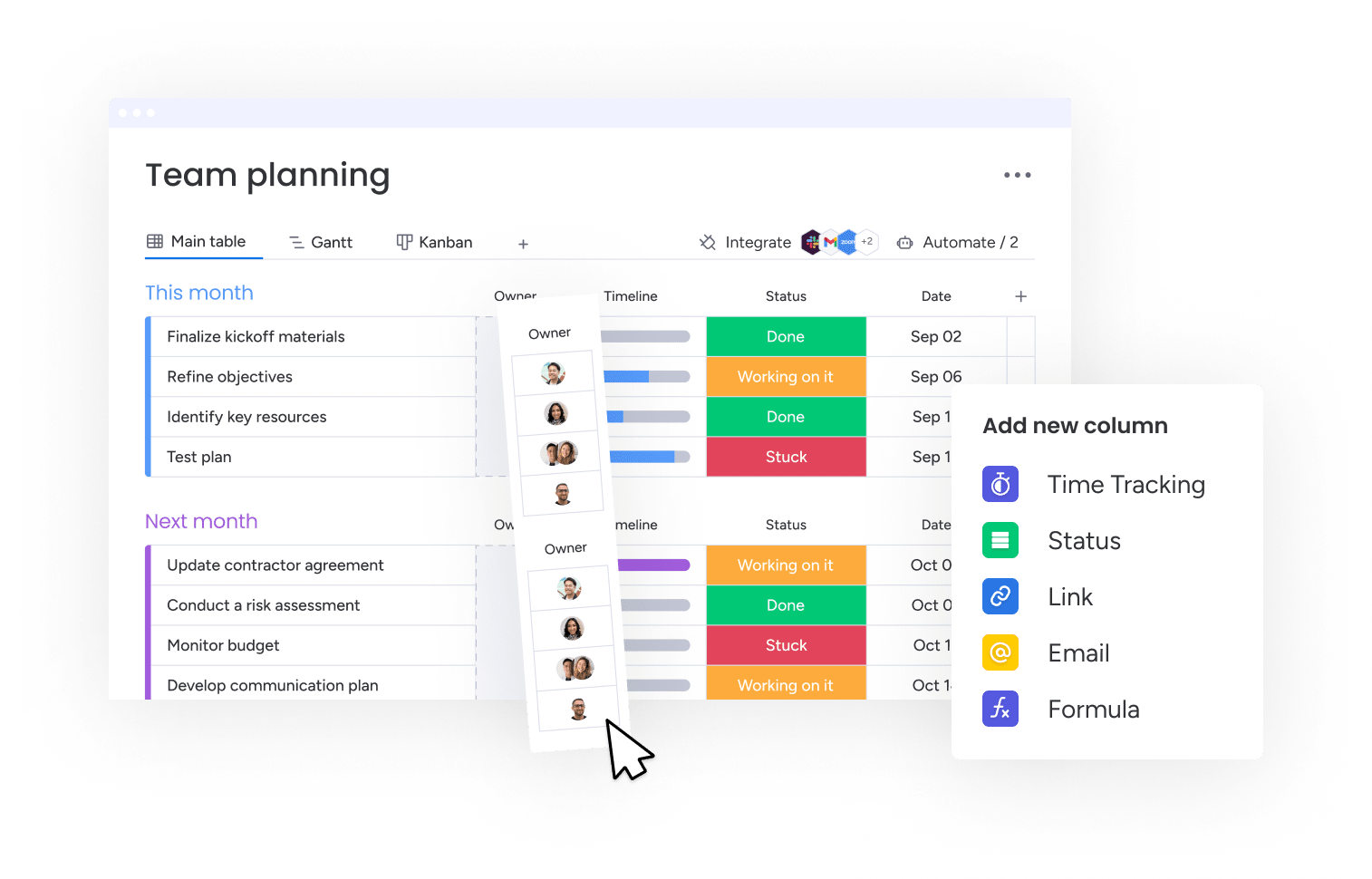
monday.com is a work management platform where every project lives on a board. Each row (called an item) is a task, a client or a request, and each column holds a status, an owner, a date, a file or a number. You can flip the same data into a Kanban board, a calendar, a timeline or a Gantt chart without rebuilding anything.
On top of the boards sit docs, dashboards, forms, automations and integrations with tools like Slack, Gmail, Outlook, Jira and HubSpot. The newer AI layer adds Sidekick (an AI assistant that understands your boards), AI columns that summarize or categorize items, an AI meeting notetaker on Standard and above, and AI agents that take on repeat tasks.
monday.com plans compared: what each plan unlocks
The short answer: Basic is a shared task list, Standard is where monday.com becomes a real project tool, and Pro is for teams that need private boards, time tracking and task dependencies. Here is what changes at each step (prices are per seat per month, billed yearly, as listed on monday.com in November 2026). For a deeper cost breakdown, read our full monday.com pricing guide.
| Plan | Price | Key limits and features |
|---|---|---|
| Free | $0 | Up to 2 seats, 3 boards, 3 docs, 200+ templates, 8 column types, mobile apps |
| Basic | $9 | Unlimited items and boards, unlimited free viewers, 1,000 AI credits a month |
| Standard | $12 | Timeline and Gantt, calendar view, guest access, 250 automation + 250 integration actions a month, 3 workflows, AI notetaker, 2,000 AI credits |
| Pro | $19 | Private boards and docs, time tracking, dependencies and formula columns, chart views, 25,000 automation + 25,000 integration actions, 20 workflows, 3,000 AI credits |
| Enterprise | Quote | Up to 250,000 actions, portfolio and resource management, multi-level permissions, 24/7 support with 99.9% uptime SLA |
What monday.com really costs for your team size
Your bill depends on the team-size bucket you land in, not your exact headcount. Paid plans start at 3 seats and then jump to 5, 10, 15, 20, 25, 30 and 40 seats; bigger teams get a quote. So a 7-person team buys the 10-seat bucket. Here is the monthly cost on yearly billing:
| Your team | Seats you buy | Basic | Standard | Pro |
|---|---|---|---|---|
| 1-2 people | Free plan (2) | $0, or a 3-seat paid plan if you need more than 3 boards | ||
| 3 people | 3 | $27 | $36 | $57 |
| 5 people | 5 | $45 | $60 | $95 |
| 7 people | 10 | $90 | $120 | $190 |
| 10 people | 10 | $90 | $120 | $190 |
| 25 people | 25 | $225 | $300 | $475 |
Tip: if you are between buckets, fill the spare seats. A 7-person team on the 10-seat plan can add a freelancer or a part-time teammate at no extra cost. Clients who only need to look at progress can be free viewers on any paid plan.
Is monday.com good for project management?
Yes, from the Standard plan up. That is where you get the timeline and Gantt views, a calendar, and automations, which together cover planning, deadlines and status updates for most projects.
A typical setup takes an afternoon: pick a project template, rename the groups to your phases, assign owners and dates, then switch to the Gantt view to see the whole plan. If your projects depend on each other (design must finish before build starts), you will want Pro for dependency columns, time tracking and private boards for sensitive work. Agencies and teams that bill by the hour usually end up on Pro for exactly those reasons.
The standout features
Boards anyone can use
The spreadsheet-style board is the reason teams adopt monday.com so fast. Colored status labels make it obvious what is stuck, and the same board turns into Kanban, calendar, timeline or chart views with one click.
Automations
Simple “when this happens, do that” rules: when status changes to Done, notify the manager; when a date arrives, move the item; every Monday, create a new group. Standard includes 250 automation actions a month, which suits light use; busy teams need Pro’s 25,000.
Dashboards
Dashboards pull numbers and charts from several boards into one screen, so a manager can see workload, overdue tasks and budget without opening every project.
AI built in
Sidekick can summarize a board, draft updates and suggest next steps. AI columns can tag, sort or summarize items automatically. Each plan comes with a monthly pool of AI credits, and you can buy more if your team leans on it.

monday.com review: pros and cons
| What teams love | What to plan for |
|---|---|
| Very fast to learn; the whole team actually uses it | Seat buckets: round your headcount up |
| Same data in table, Kanban, Gantt, calendar and charts | Gantt and timeline need Standard or higher |
| Hundreds of ready templates for every department | 250 automation actions on Standard can run out on busy boards |
| Unlimited free viewers for clients and stakeholders | Time tracking and dependencies are Pro features |
Who should (and shouldn’t) choose monday.com
Great fit: marketing teams, agencies, operations, HR and any mixed team that wants projects, requests and approvals in one place. It also suits companies that want to grow into a CRM or a dev tool on the same platform.
Think twice if: you are a solo user who only needs a to-do list (the free plan or a simpler app is enough), or a large software team that already lives in Jira and needs deep code workflows. For dev teams, monday.com has a dedicated product called monday dev.
How to start with monday.com
The easiest path is the 14-day free trial of Pro, which needs no credit card. Build one real project during the trial, invite the people who will use it every day, and watch which features you touch. If you never open the Gantt chart or automations, Basic may be enough; if you rely on them, choose Standard. Paying yearly instead of monthly saves 18%, and monday.com refunds the unused balance if you cancel a yearly plan within 30 days. Our monday.com discount guide covers every other real way to pay less, from nonprofit to startup programs.
Start a free monday.com trial →
FAQ
Is monday.com free?
Yes, there is a free forever plan for up to 2 seats with 3 boards and 3 docs. It is great for trying the interface, but most teams outgrow it quickly.
How much is monday.com per month?
On yearly billing, Basic is $9, Standard $12 and Pro $19 per seat per month, with a minimum of 3 seats. Monthly billing costs more.
Does monday.com have a free trial?
Yes, a 14-day free trial of the Pro plan for monday work management, monday CRM and monday dev, with no credit card required.
Can I use monday.com on my phone?
Yes. There are iOS and Android apps on every plan, including the free one, plus desktop apps for Mac and Windows.
Is monday.com good for small teams?
Yes, especially teams of 3, 5 or 10 people, because those sizes match the seat buckets exactly and nothing is wasted.
monday.com review: final verdict
monday.com is one of the friendliest ways to get a team organized, and it scales from a simple task board to a full work platform with automations, dashboards and AI. Start with the free trial, size your team to the right seat bucket, and choose Standard unless you need Pro’s time tracking and dependencies. For most small and mid-size teams, that is money well spent.
Unbias Review may earn a commission when you buy through links on this page, at no extra cost to you.

Ashley Isham
Ashley Isham is a senior reviewer at Unbias Review with a genuine passion for finding products that are actually worth the money. She covers skincare, beauty, wellness and everyday tech, digging into ingredients, specs, prices and real customer feedback so readers can shop with confidence. Ashley loves a good deal as much as a great product, which is why every review comes with the smartest way to save.